Luma Scape: Scenic Lock Screen
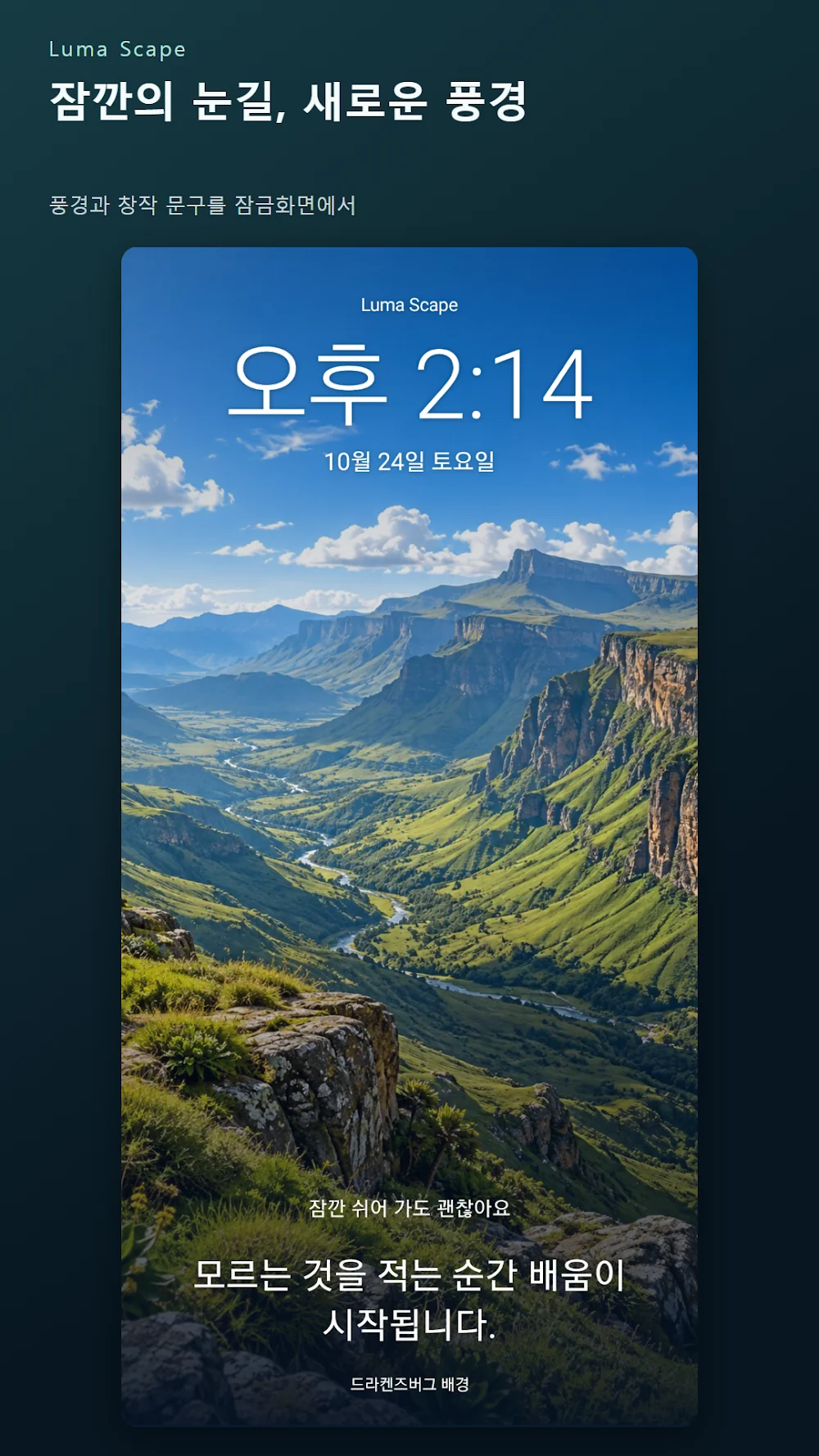
Enjoy 300 AI-created landscapes and 1,000 original phrases on your lock screen, with scheduled display breaks.
Google Play · Good to know
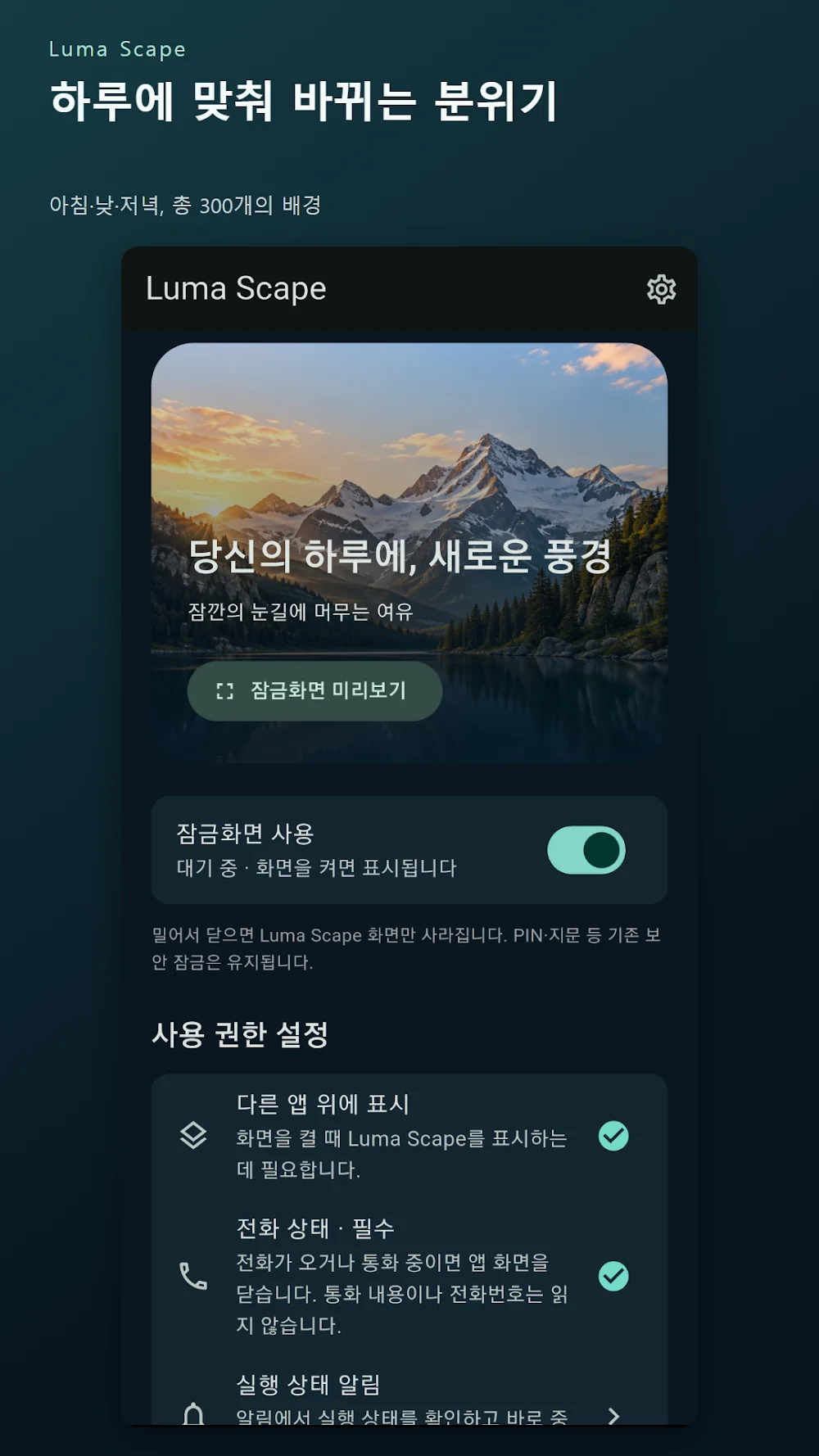
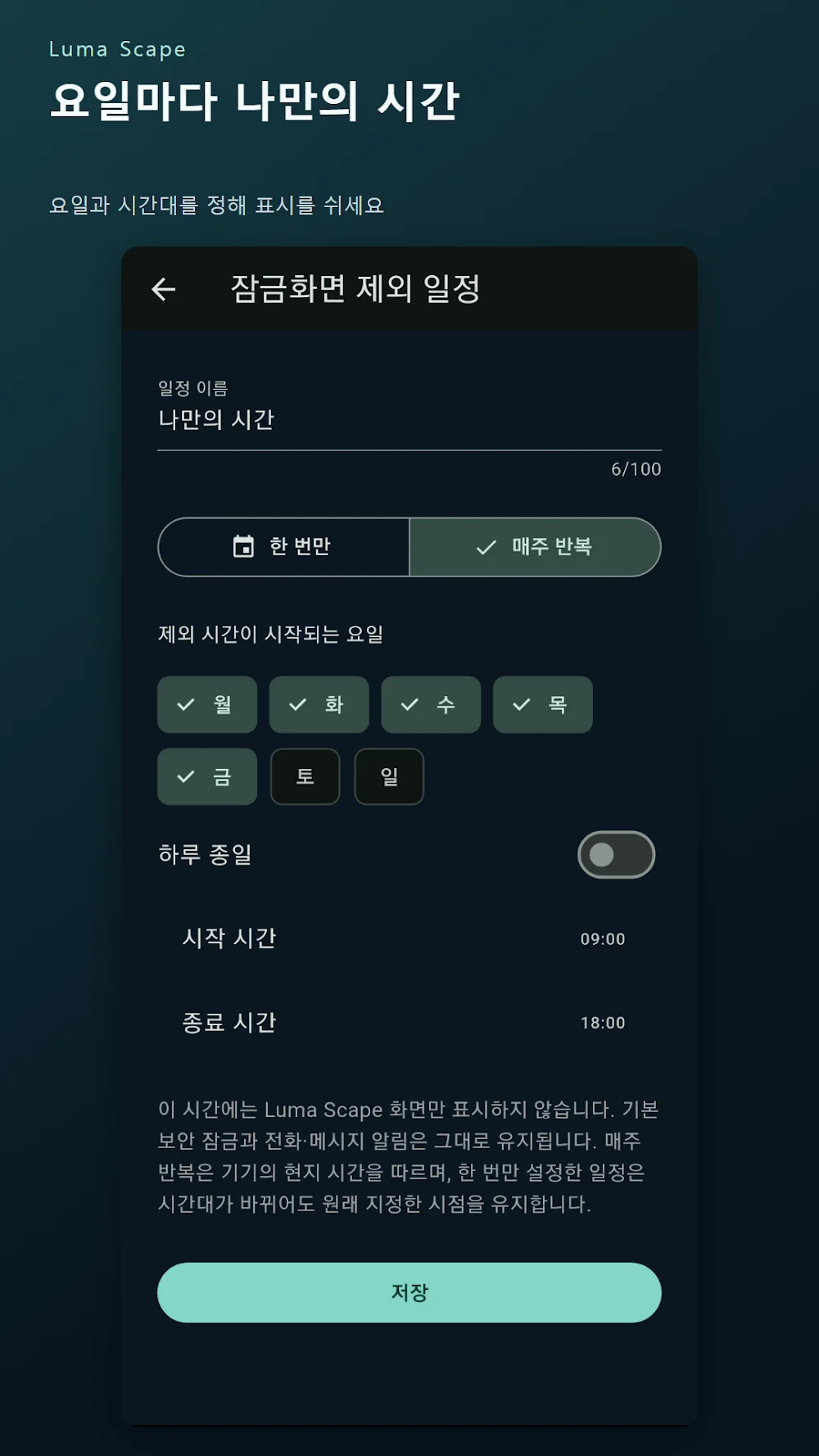
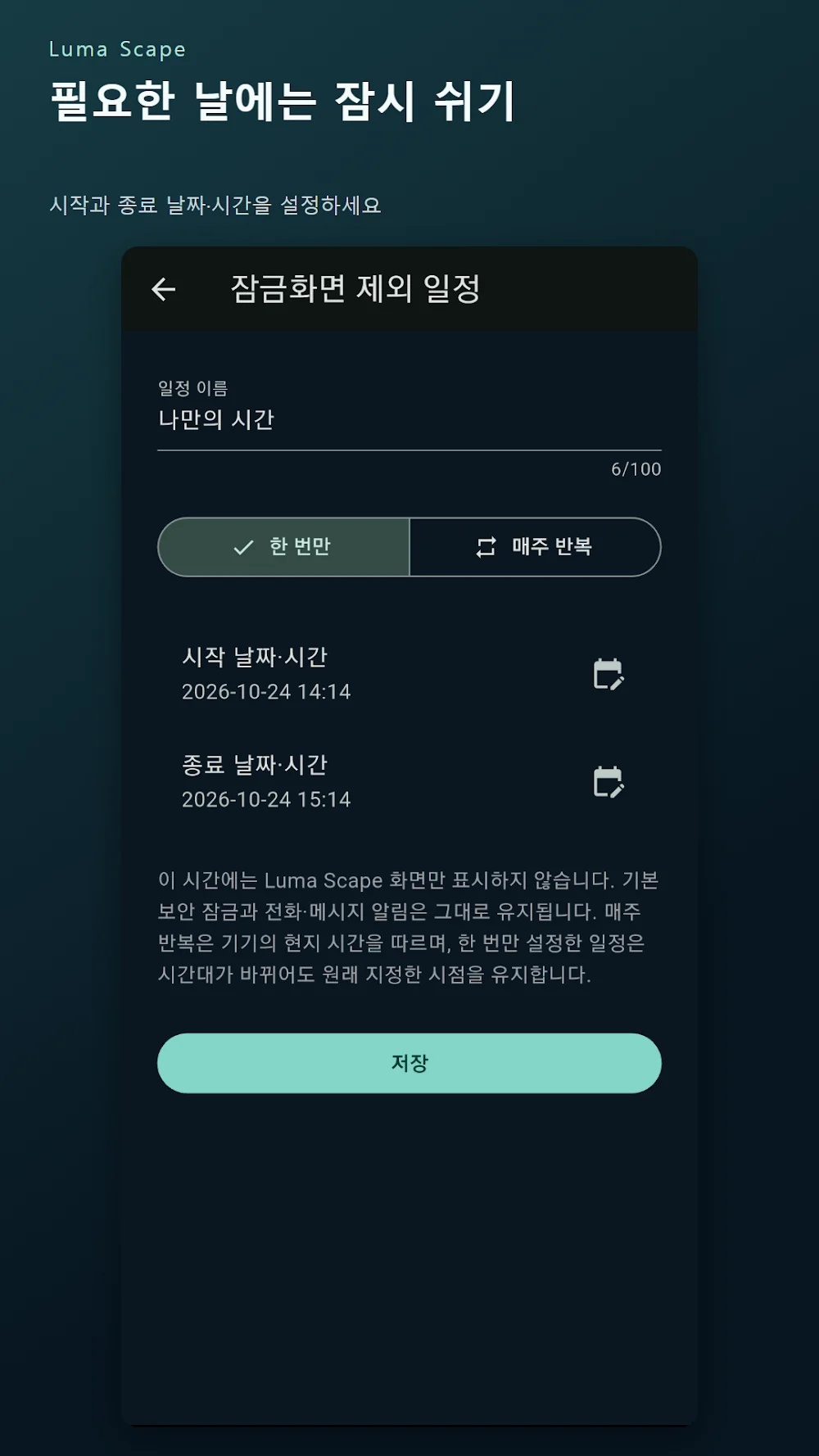
A small pause. A different view. Luma Scape brings time-of-day scenery and short original messages to your lock screen. Discover imaginative landscapes inspired by nature and destinations around the world. 300 scenes, from morning to evening Explore 100 backgrounds for morning, 100 for daytime and 100 for evening. AI-created mountain, ocean, city and travel-inspired scenes follow your device’s local time. 1,000 original messages Find words about growth, courage, love, relationships and everyday moments. These short, quote-like and dialogue-style messages are original writing, not quotations from real people, films or TV shows. Make room for work, rest and life Set quiet hours when you want Luma Scape to stay hidden. • One-time schedules: choose a start and end date and time. • Weekly schedules: choose days of the week and a time range. • Set all-day pauses or weekly periods that continue past midnight. When a quiet period ends, Luma Scape returns the next time you wake your screen. Swipe in any direction Swipe up, down, left or right to dismiss Luma Scape. Your device’s existing PIN, pattern, fingerprint or other security lock remains in place. Six languages Use the app in English, Korean, Japanese, Simplified Chinese, Russian or Hindi. Choose a language in Settings and read the Terms of Service and Privacy Policy inside the app. Before you begin • Requires Android 8.0 or later. • Automatic display requires permission to appear over other apps and access phone state. Phone state is used to avoid displaying the screen during incoming or active calls. • Optional notification access lets the app yield to message and call notifications. The app does not read or store notification senders or message bodies. • Display and communication detection may vary by device, Android version, battery settings and permissions. After a reboot or force stop, open the app and turn its switch off, then on again. • Backgrounds are AI-created images, not photographs of real places. Scenes and messages are included in the app and work offline. Developer: Kenneth App Support: gkimmulti@gmail.com Website: https://gkimmulti-ui.github.io/
Scan the QR code or tap a store badge to download.
Google Play
App Store
Coming SoonA download link and QR code will be available after launch.